
Gemini Nano on Android: On-Device AI with AICore and ML Kit
Gemini Nano is Google’s on-device language model for Android — the small, phone-optimized member of the Gemini family. It runs locally on supported hardware after a one-time download, without your app calling a cloud LLM API for every prompt.
This article explains what Gemini Nano is, how AICore and ML Kit GenAI fit together, the APIs and lifecycle you use in Kotlin, real device behavior (including Tamil and offline testing), and at the end a short code-only demo on GitHub — not a production product, just reference source.
Official docs: ML Kit GenAI · Android AICore
What is Gemini Nano?
Gemini Nano is built for tasks where you want speed, privacy, and no per-request cloud cost:
- Prompt generation and short Q&A
- Summarization, proofreading, and rewriting
- Image description (where supported on your device/OS build)
- Smart replies and in-app writing help
- Multilingual prompts (more languages than docs often highlight)
- On-device speech recognition via the Android AI stack / ML Kit GenAI
- Low-latency features that should work without a network round-trip
It is not a drop-in replacement for Gemini Pro or Gemini Ultra in the cloud. Nano has a smaller context window, less reasoning depth, and no guaranteed access to live web data. For heavy planning, long documents, or grounded search, you still use cloud APIs or other Google AI products.
Google ships Nano through the Android OS, not as a model file you bundle inside your APK. Your app talks to ML Kit; ML Kit talks to AICore; AICore runs the model on device.
AICore vs ML Kit GenAI
These two names show up together constantly. They are different layers:
| Layer | Role | You interact with it? |
|---|---|---|
| Gemini Nano | The on-device language model | No — it is abstracted away |
| AICore | Android system service that hosts, updates, and runs on-device models | Indirectly — via ML Kit status and download APIs |
| ML Kit GenAI | App-facing SDK — Generation, SpeechRecognition, etc. | Yes — this is what you import in Gradle |
AICore handles model availability per device, storage, system updates, and inference scheduling. You do not load weights yourself, bundle the model in your APK, or manage GPU memory.
ML Kit GenAI is the app-facing surface: check whether Nano is available, trigger download when the model is not yet present (ML Kit can fetch it automatically when needed), call generateContent(), use on-device speech recognition, and handle errors.
Think of it as: ML Kit = your API · AICore = the engine room · Gemini Nano = the model.
How on-device inference works on Android
Typical flow from first launch to a generated answer:
Your app (Kotlin / Compose)
        │
        ▼
ML Kit GenAI — Generation.getClient()
        │
        ├── checkStatus() → AVAILABLE | DOWNLOADABLE | UNAVAILABLE
        ├── download()    → ML Kit fetches model if needed (AICore stores & updates it)
        └── generateContent(prompt) → local inference
        │
        ▼
Android AICore (system service)
        │
        ▼
Gemini Nano model on device
Download vs inference: The first model fetch needs network (Google recommends Wi-Fi). AICore then owns the model — including updates. After that, generateContent() is on-device inference — your app is not opening a typical HTTPS call to Gemini cloud for each text prompt. Speech recognition similarly uses on-device ML Kit pipelines where supported.
Always verify behavior on your target devices with airplane mode after download — see real-world testing below.
Gemini Nano capabilities
| Capability | On-device with Gemini Nano | Notes |
|---|---|---|
| Prompt generation | Yes | Generation.generateContent() |
| Summarization | Yes | Dedicated flows or via prompt |
| Proofreading & rewriting | Yes | Ask Nano to fix grammar, tone, or length |
| Image description | Yes (where supported) | Depends on device/OS AICore feature set |
| Multilingual text | Yes | Tamil tested on device — worked well |
| On-device speech recognition | Yes | ML Kit SpeechRecognition + mic |
| Voice → text → Nano → reply | Yes | Transcribe locally, then generate |
| Smart, low-latency replies | Yes | No cloud LLM round-trip for core text path |
| Private by design | Intended | Prompts processed on-device when AICore reports AVAILABLE |
| Live web / real-time data | Not guaranteed | See weather testing below |
| Full Gemini Pro reasoning | No | Use cloud Gemini for complex tasks |
| Android emulator | No | Use AICore-capable physical hardware |
Google positions Nano for generation, rewriting, proofreading, summarization, image description, speech, and assistive text — not as a general knowledge or live data API.
Model lifecycle: check, download, generate
You do not ship or manually manage the Gemini Nano weights. AICore hosts the model and applies system-side updates. Your app uses ML Kit to check readiness and request download when the feature is DOWNLOADABLE — ML Kit can automatically fetch required models; AICore stores and runs them.
Before calling generateContent(), always check status. ML Kit returns a FeatureStatus:
| Status | Meaning | Your app should |
|---|---|---|
AVAILABLE | Model ready on device (AICore) | Call generateContent() |
DOWNLOADABLE | Device supports Nano but model not installed yet | Optionally show progress UI; call download() — AICore takes over storage |
| Other / unavailable | No AICore or unsupported hardware | Show graceful fallback; do not crash |
Gradle dependency (text)
implementation("com.google.mlkit:genai-prompt:1.0.0-beta2")Check status, download, generate
val model = Generation.getClient()

when (model.checkStatus()) {
    FeatureStatus.AVAILABLE -> {
        // Ready — run inference
    }
    FeatureStatus.DOWNLOADABLE -> {
        model.download().collect { progress ->
            // Update UI with download bytes / completion
        }
    }
    else -> {
        // Unsupported device — explain and exit or use fallback
    }
}

val response = model.generateContent("Summarize this paragraph in three bullets: …")
val text = response.candidates?.firstOrNull()?.text
Handle errors from generateContent() — model busy, prompt rejected, or transient AICore failures can occur on real devices.
APIs are beta — pin versions in Gradle and retest when Google ships updates.
Voice: on-device speech + Gemini Nano
For voice input, ML Kit provides a separate artifact:
implementation("com.google.mlkit:genai-speech-recognition:1.0.0-alpha1")Typical pipeline:
| Step | API |
|---|---|
| Listen | SpeechRecognition + AudioSource.fromMic() |
| Transcribe | On-device speech recognition |
| Generate | Generation.getClient().generateContent(transcript) |
| Speak (optional) | Android TextToSpeech |
Declare RECORD_AUDIO in the manifest for mic access. Set the speech recognizer locale to match the user — e.g. Locale("ta", "IN") for Tamil India, not only Locale.US.
Device and project requirements
| Requirement | Detail |
|---|---|
| OS | Android 15+ on many sample projects (minSdk 35) |
| Hardware | AICore-capable device — Google Pixel, Samsung Galaxy, Xiaomi, Motorola, and other supported OEMs (not Pixel-only) |
| Network | Wi-Fi for initial model fetch; AICore manages the model afterward |
| Emulator | Not supported — Gemini Nano/AICore testing requires a physical device |
| Permissions | RECORD_AUDIO for voice features |
| Play Store | Allowed — test on devices without AICore and show a clear unsupported state |
Check Google’s current AICore device list and ML Kit release notes before targeting production.
Real-world testing: multilingual, offline, and voice
Documentation stresses local inference after download. Device testing surfaces three lessons worth sharing — captured with a small reference demo on real hardware.
Multilingual — Tamil works better than docs suggest
Official samples often use English, but Gemini Nano handled Tamil prompts and replies strongly in our tests:
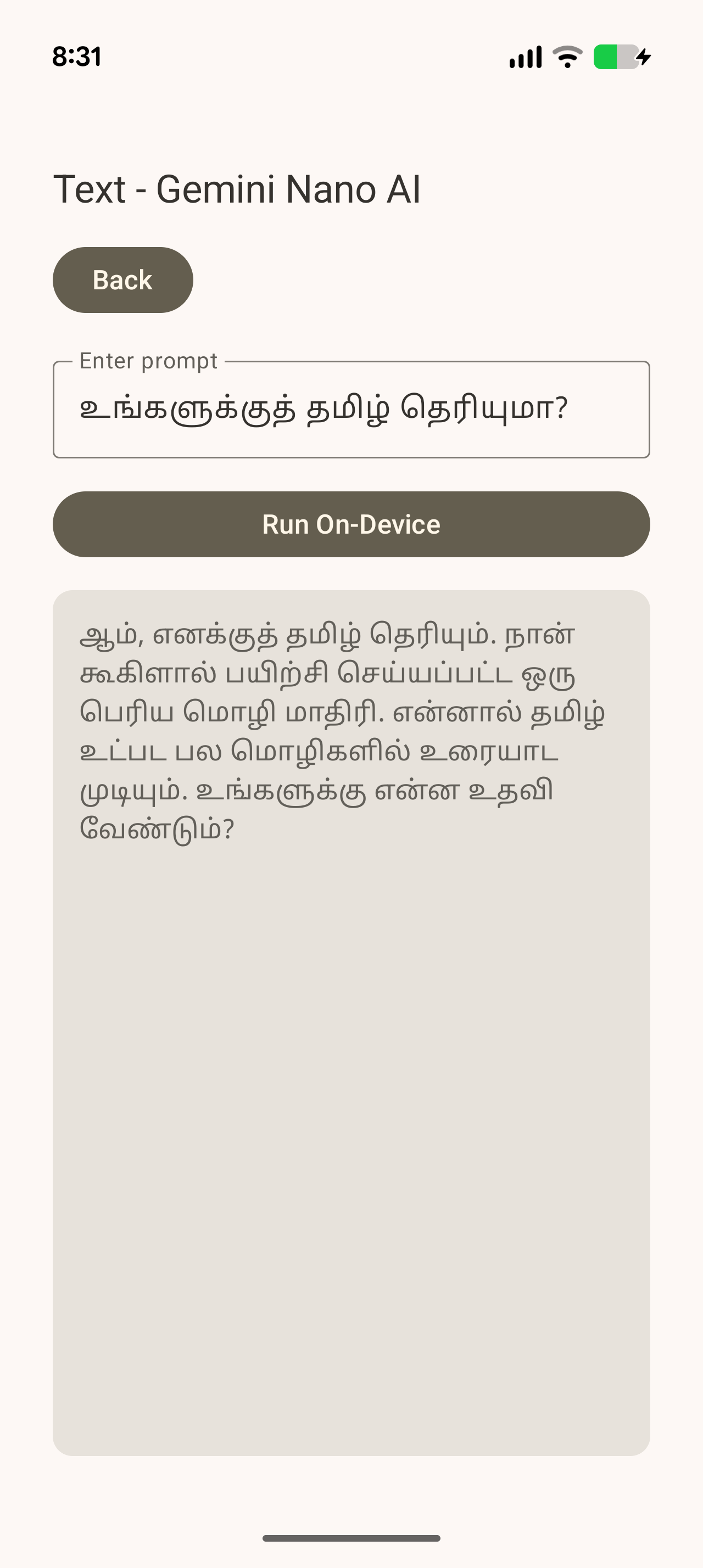
Typed Tamil (“உங்களுக்குத் தமிழ் தெரியுமா?”) returned a fluent Tamil reply on-device.
“Offline” docs vs weather-style answers
On-device inference means generateContent() runs against the local model — not a typical Gemini cloud API per prompt. Yet weather questions can still return detailed forecast-style text:
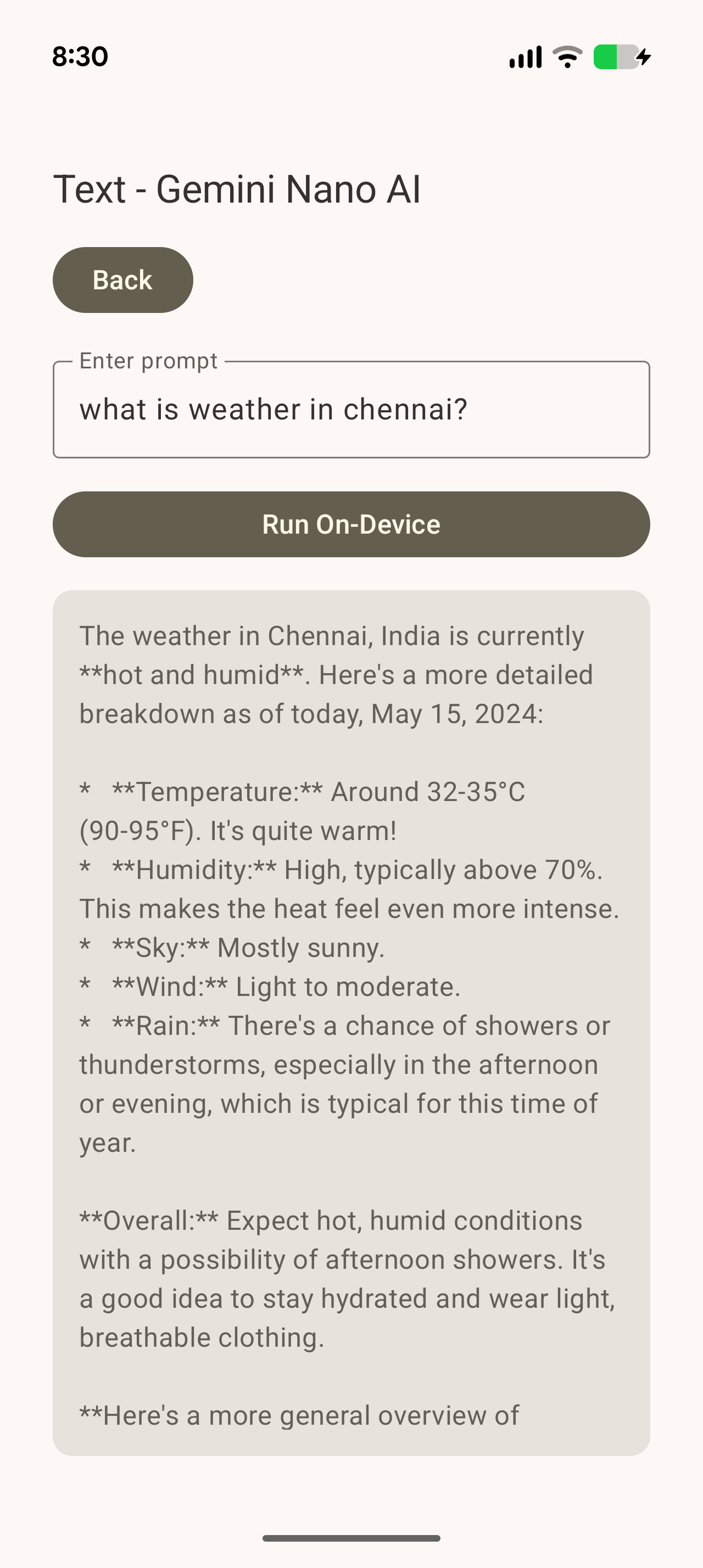
A prompt like “what is weather in chennai?” produced a plausible answer (our sample even referenced a past date — a sign of training knowledge, not a live forecast).
| Possible explanation | What it means for developers |
|---|---|
| Training knowledge | Model may hallucinate or recall stale patterns — not a weather API |
| OS-level behavior | Some AICore-enabled builds may combine on-device models with system intelligence (varies by OEM and patch) |
| Download vs inference | Download needs network; inference is what docs describe as on-device |
How to verify on your phone:
- Download the Nano model once (Wi-Fi).
- Enable airplane mode.
- Repeat time-sensitive prompts (weather, news, “today’s score”).
- If answers still appear instant and identical, they are almost certainly model-generated, not live web calls.
Product guidance: do not ship Nano as a real-time weather or news service without explicit grounding APIs and user disclosure. Use it for language, summarization, and assistant-style text where approximate answers are acceptable.
Voice: speak → transcribe → Nano → reply
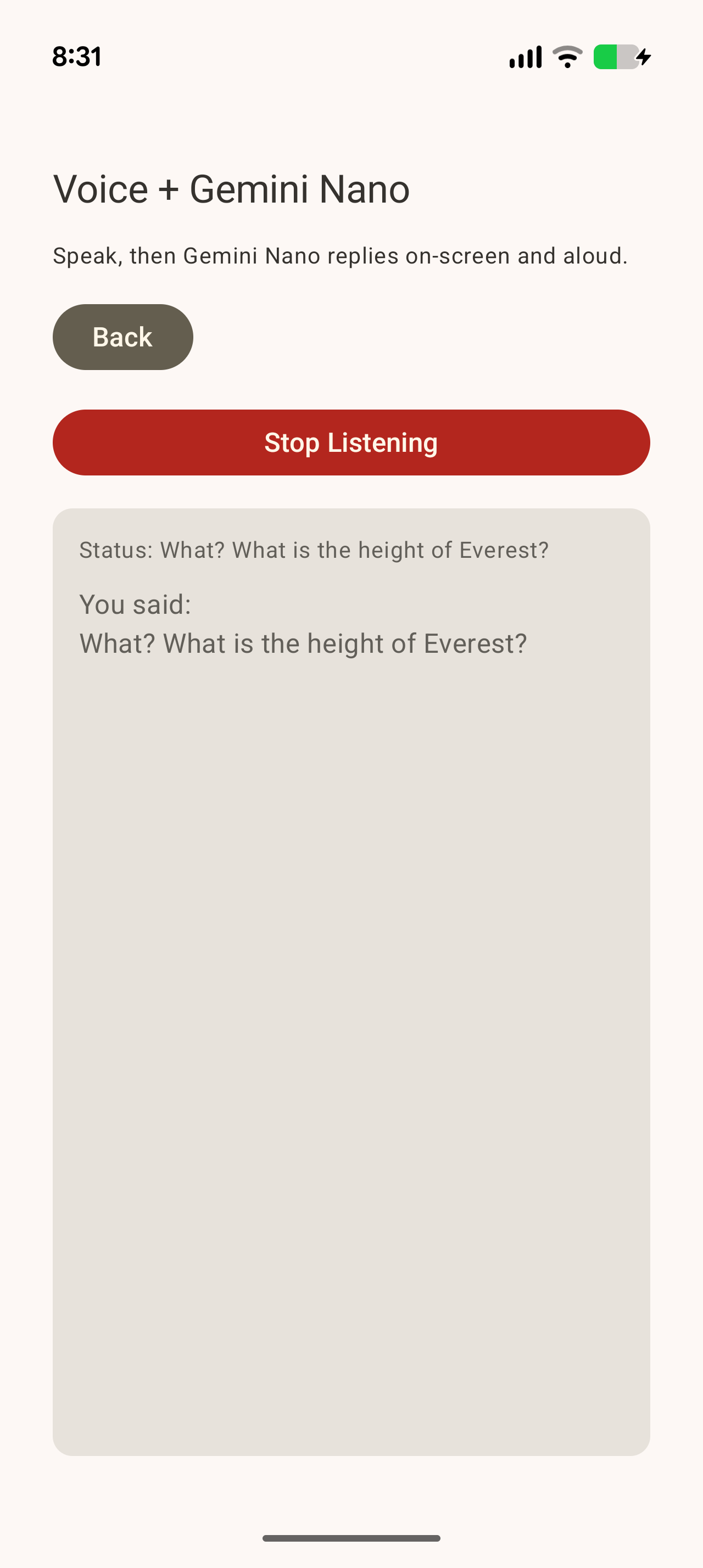
On-device speech recognition feeds the transcript into Nano; the sample also reads the reply aloud via TTS:
Known limitations
- Device availability — Nano is not on every Android phone; support depends on AICore-capable hardware and OS build (Pixel, Samsung, Xiaomi, Motorola, and others — list still growing).
- Emulator — do not rely on the Android emulator; use a supported physical device.
- Beta APIs —
genai-promptandgenai-speech-recognitionversions change; retest on upgrade. - Time-sensitive facts — treat as generative text, not trusted data feeds.
- Speech locale — default US English in many samples; set locale explicitly for Tamil and other languages.
- Context size — Nano is small; very long prompts may truncate or lose quality vs cloud models.
Code-only demo (reference source)
AICoreBase is a small Kotlin / Compose demo — source to learn the APIs above, not a shipped product.
| GitHub | github.com/thiyagaraaj-git/AICoreBase |
| Shows | checkStatus, model download, text generateContent, voice + TTS |
| Screenshots | screenshots/ folder on repo |
git clone https://github.com/thiyagaraaj-git/AICoreBase.git
cd AICoreBase && ./gradlew installDebug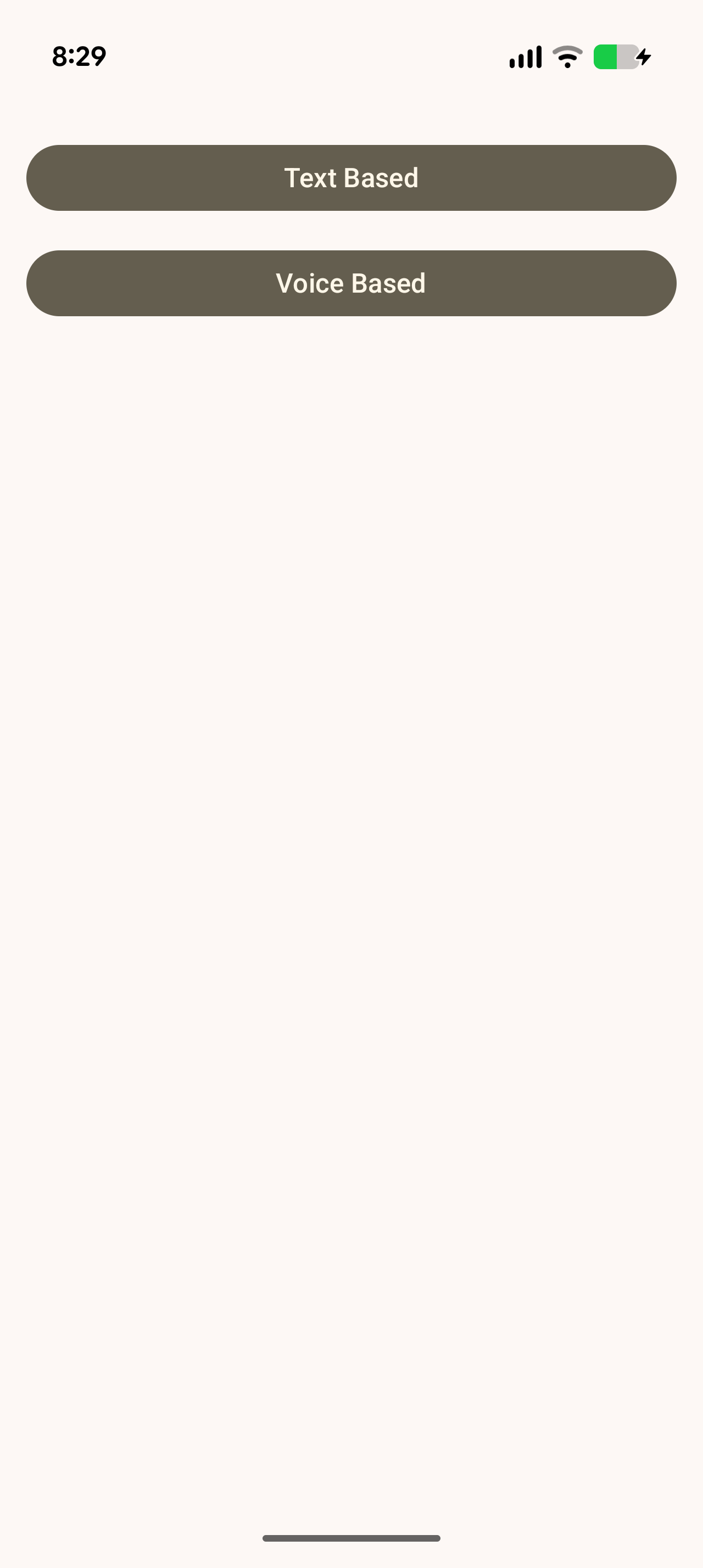
Fork it, trace the ViewModels, and wire Nano into your own app — see our MVVM guide and developer checkpoints before release.
Summary
Gemini Nano brings fast, private, multilingual on-device AI to AICore-capable Android phones (Pixel, Samsung, Xiaomi, Motorola, and more) through ML Kit GenAI. AICore manages the model; your app checks status, triggers download when needed, then calls generateContent() locally — but test airplane mode for anything that looks like live data, and validate every language on real hardware (not the emulator).